
Move Planning work
forward with clarity.
A governed workspace for running and monitoring commonly used Oracle EPM Planning operations. Discover live Oracle artifacts, prepare validated inputs, approve controlled actions, execute through Oracle Planning REST APIs, and retain execution evidence in PostgreSQL.
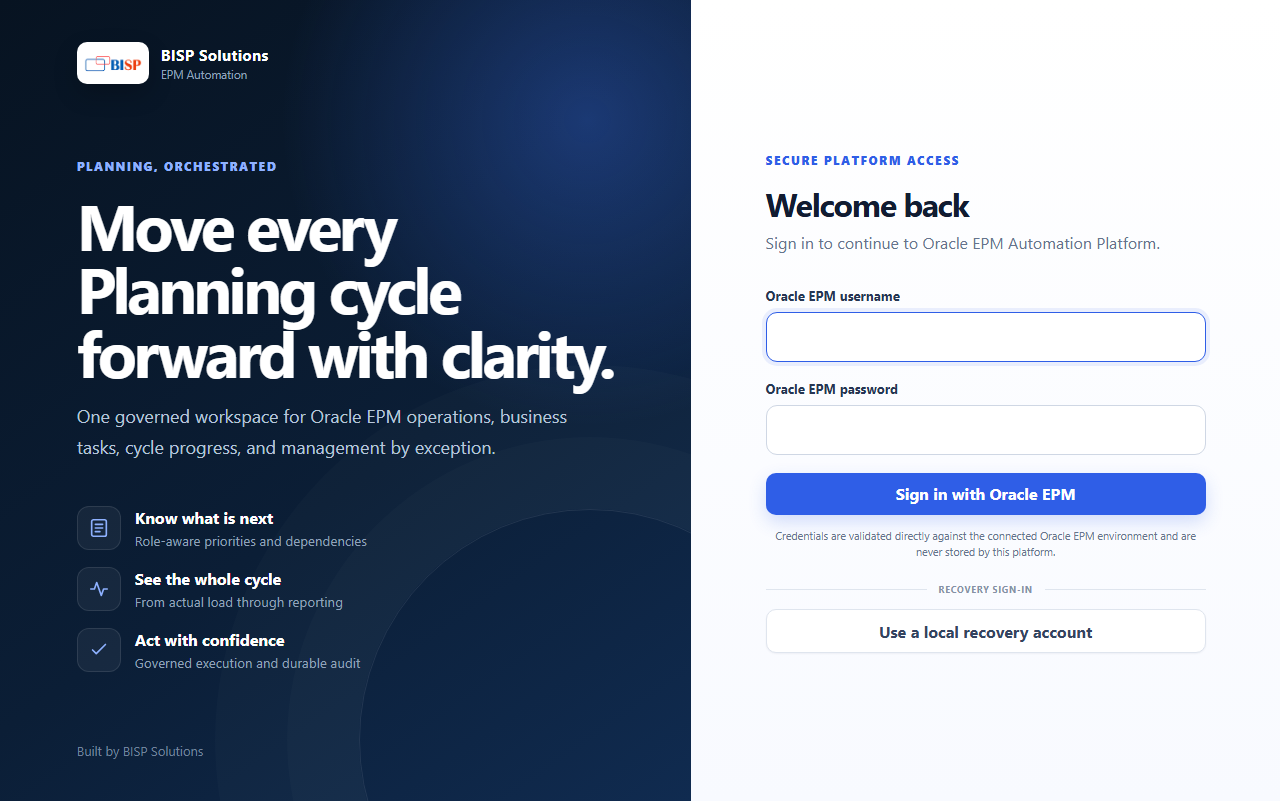 Planning Workspace — live gateway
Supported Planning operations in one workspace
Run frequently used Planning jobs and administrative operations without navigating across multiple Oracle screens. The platform discovers available Oracle artifacts where supported and uses existing Oracle configurations as the source of truth.
Planning Data Import
Load Planning data from CSV, TXT or ZIP files using your saved Oracle Data Import job definitions. The platform submits the job, captures the Oracle job ID, polls status to completion and returns structured parent and child diagnostics.
CSV · TXT · ZIPMetadata Import
Run saved Metadata Import definitions, with an optional Cube Refresh once the load completes. Failures come back with the Oracle job details the environment returns.
Optional Cube RefreshData Integrations
Run file-based Data Integrations through Oracle’s integration REST job, using the integration definitions and import or export modes already configured in your environment.
Existing definitionsOracle Pipelines
Execute Data Integration Pipelines through Oracle’s pipeline REST job. The platform reads the selected pipeline’s live definition, prompts for its configured runtime variables and monitors the process to completion.
Live definitionBusiness Rules
Execute deployed Calculation Manager rules through Oracle REST. Runtime prompts are served from the RTP registry, so users get ordered, labelled fields with mandatory-value validation before anything is submitted.
RTP registry promptsData Maps
Move data between cubes with Oracle’s plan type map job, including target clearing and member or exclusion overrides for precise, repeatable pushes to a reporting cube.
Clear · overridesSaved Cube Refresh jobs
Submit the Cube Refresh jobs already saved in your Planning application, either on their own or as the closing step of a metadata load.
Saved Oracle jobsSubstitution & User Variables
Review and update Oracle substitution variables and Planning user variables from one screen, scoped to the connected environment.
Environment-scopedData Explorer & Excel Export
Save approved Data Explorer views and export them as Excel workbooks, generated from live Planning data at the moment you export.
Excel exportLook at Planning data before you act on it
Data Explorer gives administrators and business users a direct, read-first view of Planning data — in the same workspace they use to submit operations, so a check never means switching tools.
- Works against available Planning cubes with valid dimensions and members
- Uses saved Oracle configurations and validates supplied inputs where Oracle exposes them
- Compare a source and a target cube slice side by side
- Saved views are reusable and export straight to Excel
From request to evidence
Every operation follows the same path, whether it is a single Oracle job or a reviewed multi-operation flow.
Discover
Retrieve available jobs, rules, Pipelines, integrations and other supported artifacts from the connected Oracle environment.
Step 1Prepare
Enter business inputs, runtime prompts, periods, files or member selections for the operation you have chosen.
Step 2Validate
Check the selected Oracle artifact and the required inputs before anything is submitted to the environment.
Step 3Approve
Review controlled or elevated actions before anything changes in Oracle. Approval is an explicit step, never an assumption.
Step 4Execute
Submit the operation through Oracle Planning REST APIs and monitor it to completion on the background worker.
Step 5Review
Inspect status, Oracle job details, record counts, errors and generated outputs — retained for later audit.
Step 6Organize the people side of the Planning cycle
Planning Cycles coordinate stages, owners and due dates around the operations above — with clear limits on what they do.
Planning Cycles
- Create a Planning business calendar
- Define stages and responsibilities
- Assign work to users or roles
- Set dependencies and due dates
- Give each user a My Work queue
- Submit completed Planning work for approval
- Review progress and notifications
Clear boundaries
- Planning Cycles organize people and responsibilities
- They do not replace Oracle Pipelines
- They do not automatically execute a chain of services
- Each Oracle operation is still prepared, approved and submitted on its own
Scheduled where this release supports it
Scheduling currently covers Oracle Pipelines and automated Business Rule RTP registry synchronization. Every other operation is run on demand from the workspace.
Oracle Pipelines
Schedule Pipeline runs and let the background worker submit them and monitor the Oracle process to completion.
ScheduledRTP registry synchronization
Keep the Business Rule runtime-prompt registry in step with Calculation Manager automatically, so prompt fields stay accurate.
AutomatedBackground execution
Long-running Oracle jobs continue on the background execution worker, independently of the browser session that started them.
Worker-backedEvidence for every submitted operation
Nothing runs in the dark. Status, Oracle diagnostics and generated output stay with the run that produced them.
Live status
Monitor submitted, running, completed and failed operations from a single activity view.
Submitted · running · doneStep-level evidence
View step-level execution evidence for multi-operation flows, in the order the steps ran.
Per stepOracle job details
Inspect Oracle job IDs and the diagnostics the environment returns for each submission.
Job IDsRecord counts
See record counts wherever Oracle returns them, so a load can be reconciled against the source.
Where Oracle returns themFiles and logs
Download the files and logs a run generated, straight from its activity record.
DownloadableGoverned retry
Retry supported failed multi-operation flows through the same governed review as the first attempt.
Reviewed againAn assistant that proposes — you approve
A permission-aware assistant, built on a provider abstraction over Google Gemini or Groq, that shares the platform’s own tables and permission checks. It inspects live Oracle artifact catalogs, answers questions about available platform operations, reviews execution history and evidence, and collects the inputs an operation needs — but work is submitted only after you review and approve the proposal in the UI. Conversation text is never treated as approval.
With your approval, it can
- Inspect live Oracle artifact catalogs and recommend matching artifacts
- Answer questions about available platform operations
- Review execution history and evidence
- Collect required inputs and build governed multi-operation flows
- Execute approved operations within the platform capability allow-list
- Respect platform permissions on every action it proposes
By design, it never
- Operates autonomously — write actions always need explicit approval
- Creates or changes schedules
- Makes arbitrary REST calls
- Deletes Oracle artifacts
- Changes Oracle Pipeline definitions
- Generates Data Explorer views from natural language in this release
Built for auditors as much as administrators
Containerized deployment
Deploy the platform on a controlled server, virtual machine or compatible cloud host using Docker Compose. The release includes the React workspace, FastAPI application, background execution worker, PostgreSQL database, automatic migrations and optional Cloudflare Tunnel connectivity.
Web, worker, database, migration and optional tunnel run as separate containers, so database migrations apply automatically on start.
Ready to run your Planning operations in one place?
Launch the platform, or talk to the BISP Solutions Oracle EPM team about a guided rollout on your own environment.